Technical reference
This page is aimed at administrators and at your IT staff — unlike the other pages it deliberately uses technical names. You do not need it for day-to-day work.
Key facts
| Item | Value |
|---|---|
| Technical name | gb_withdrawal |
| Version | 19.0.1.0.7 (Odoo 19.0) |
| Category | Website |
| Dependencies | mail, website |
| Licence | OPL-1 |
| Publisher | GlobalBases.com GmbH, info@globalbases.com |
The module runs without Sales and without Accounting. Two optional extensions build on it:
| Extension | Name in the app list | Additional dependency | Purpose |
|---|---|---|---|
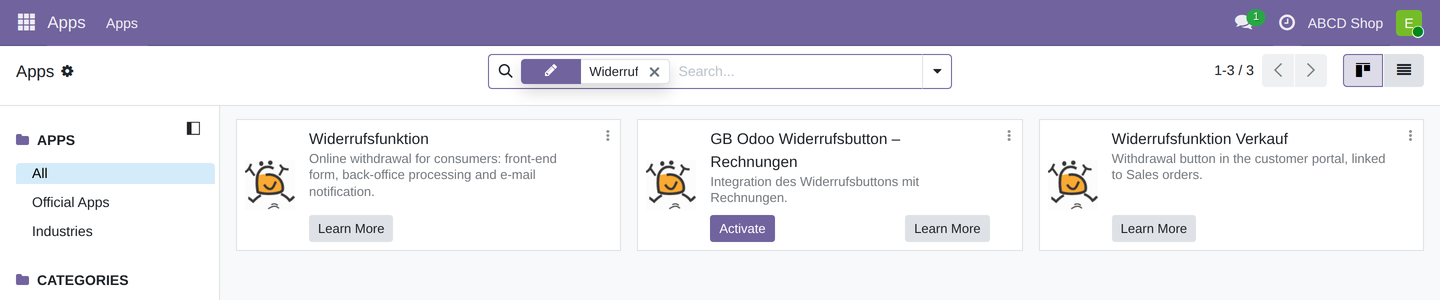
gb_withdrawal_sale |
Widerrufsfunktion Verkauf | sale |
Withdraw from order buttons in the customer account; sales users receive the Withdrawals User permission. |
gb_withdrawal_account |
GB Odoo Widerrufsbutton – Rechnungen | account |
Anchor point for the withdrawal note in the invoice email. Nothing is inserted automatically at present. |
The invoice extension still carries the old name
The core module and the sales extension were renamed to Widerrufsfunktion and Widerrufsfunktion Verkauf. In the app list, the invoice extension is still called GB Odoo Widerrufsbutton – Rechnungen.
Languages
The source language of the module is English; a complete German translation ships in
i18n/de.po. Menu, columns, field labels, statuses, section headings, buttons, the
settings block, the form on the website and both confirmation emails therefore appear in
the language of the user or of the website. Further languages can be added without any
code change, because every string is translatable.
Installation and update
- Enable developer mode and update the app list.
- Install Widerrufsfunktion from Apps.
- After deploying a new build of the module, run a module update (
-u gb_withdrawal) so that text changes and migration steps take effect.
When updating from a build older than 19.0.1.0.4, a migration step sets the subject of
both email templates once to the shared subject line.
The withdrawal object
Every withdrawal lives in its own object, gb.withdrawal. It is attached to the message
history (mail.thread), sorted by receipt descending, and carries the reference as its
display name.
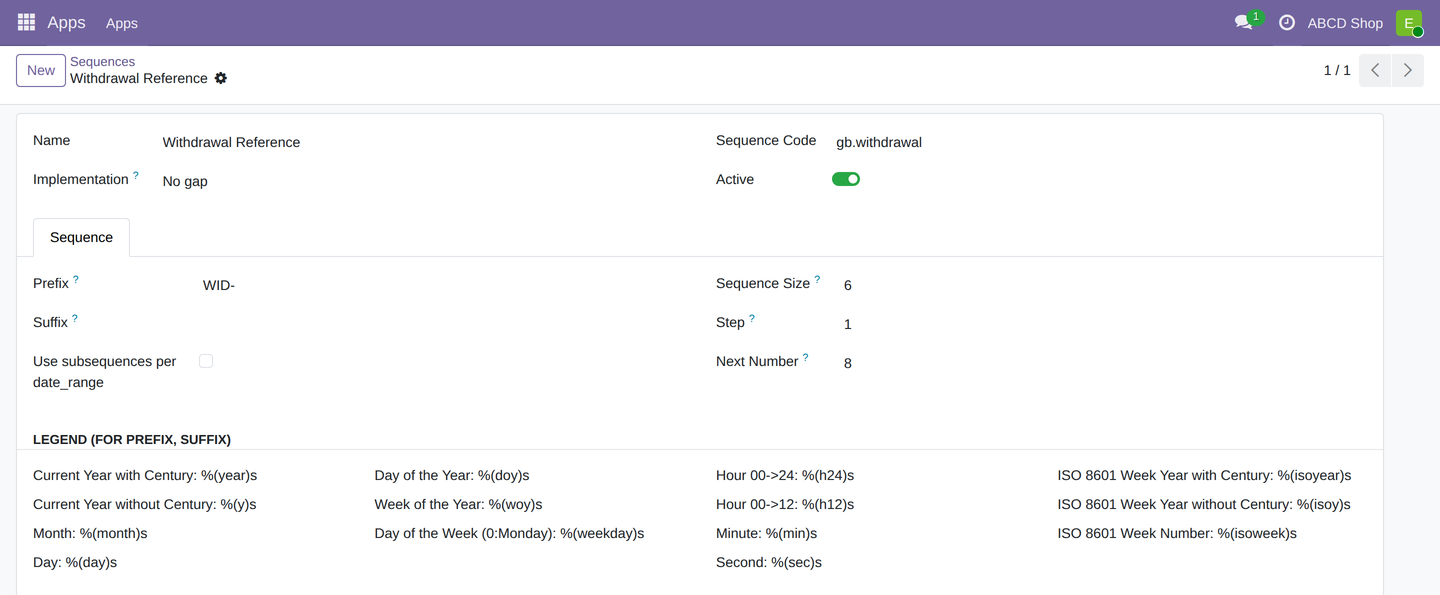
The reference comes from the gb.withdrawal sequence: prefix WID-, six digits, gapless
(no_gap). You find it under Settings → Technical → Sequences, named
Withdrawal Reference — that name is not translated.
| Field | Type | Content |
|---|---|---|
name |
Text | Reference WID-######, assigned on creation |
customer_name, customer_email |
Text | Details reported by the consumer, mandatory |
contract_ref |
Text | Order or contract number, mandatory, unchecked |
withdrawal_reason, remark |
Text | Optional details |
confirmation_text |
Text | Wording of the mandatory checkbox at the time of withdrawal |
website_id, website_name, lang |
Relation / computed text / text | Website and language of receipt. The form shows website_name — a computed, non-stored name, not the link |
state |
Selection | new, in_progress, done, rejected |
submitted_at, done_at, rejected_at |
Date/Time | Times of receipt and of the status changes |
deadline_passed, goods_received, goods_damaged, refund_instructed, rejected_checkbox |
Yes/No | Processing steps, each with a …_at field for the time |
mail_customer_sent, mail_operator_sent |
Yes/No | Result of sending the two receipt emails |
active |
Yes/No | Archived when not set |
Automatic behaviour on save
- On creation, reference and time of receipt are set and both receipt emails go out immediately.
- Goods Received, Goods Damaged or Refund Instructed raise the status from New to In Progress. Deadline Passed does not, and neither does any of them from a status other than New.
- Withdrawal Rejected sets the status to Rejected.
- The date field of a box is set when you tick it and cleared when you untick it; the complete history remains in the message log.
- Two rules are enforced hard: Goods Damaged only together with Goods Received, and Refund Instructed excludes Withdrawal Rejected.
The form address
| Item | Value |
|---|---|
| Address | /widerrufsfunktion (GET and POST, no redirect from /widerruf) |
| Access | public, no sign-in; included in the sitemap |
| Protection | CSRF token per form, hidden spam field company_url |
| Mandatory fields | Name, email, order or contract number |
| Steps | review, back, submit |
| Prefill | ?ref=<number> fills the order number; for signed-in customers also name and email from the contact |
If Withdrawal Module Active is switched off for the website, the address answers with "not found". A filled-in spam trap leads to the confirmation page without a withdrawal being created.
The Submit binding withdrawal button is only enabled once the mandatory checkbox is ticked; a small script file shipped with the module handles that in the front end.
Emails
On receipt two emails go out, both with the same text block and the same subject.
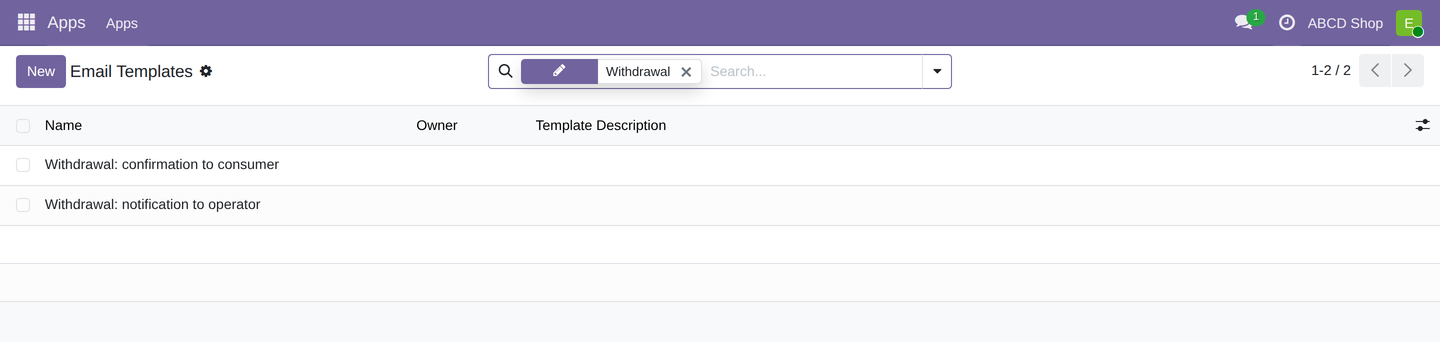
| Template | Recipient |
|---|---|
| Withdrawal: confirmation to consumer | Address from the form |
| Withdrawal: notification to operator | Operator Email of the website, otherwise the company's email address |
You find both under Settings → Technical → Email Templates.
- Sender: Email Sender of the website, otherwise the company's email address, and finally that of the executing user account.
- Subject: "Withdrawal
<reference>of<date>| Order<order number>", in the respective language. In both templates it sits as a computed expression in the Subject field and can be replaced there with your own text; such a change survives a module update. It cannot be made to differ per website. - Language: language of the withdrawal, otherwise the Fallback Language of the website, otherwise the system language. If a language is not installed, Odoo falls back to a matching installed language family and finally to English.
- Dispatch: immediate. Success and failure appear in the message history of the withdrawal; a failed dispatch does not prevent the case from being created.
The email text does not live in the template
Neither template carries its own text in the body; both call a shared text block ("Withdrawal Email Body", found under Settings → Technical → User Interface → Views). That block is re-imported with every module update — changes made to it are lost. What does survive an update is the templates themselves: subject, sender, recipient, and any text you enter directly in the template body in place of the call.
Settings per website
The settings from Configuration live on the website record and therefore apply per website. Translatable are the button text, the introduction text, the confirmation page text and the mandatory checkbox text.
Permissions
| Group | Read | Create | Write | Delete |
|---|---|---|---|---|
| Withdrawals User | yes | yes | yes | no |
| Withdrawals Administrator | yes | yes | yes | yes |
Both groups see every withdrawal, regardless of website or responsibility. A restriction
per website is not provided for. The extension gb_withdrawal_sale grants sales users the
Withdrawals User group automatically.
Verifying the installation
The module ships with automated tests: checks of the object (reference assignment, status logic, rules of the processing boxes, subject and language of the emails), checks of the form address (mandatory fields, review step, spam trap, disabled module) and a user interface test for enabling the submit button.
odoo -d <database> -i gb_withdrawal --test-enable --stop-after-init
Retention and data protection
A withdrawal contains the consumer's name, email address and reported details in plain text. The module performs no automatic deletion and imposes no retention period. Cases you no longer need are archived; final deletion remains reserved for the Withdrawals Administrator permission. The message history additionally holds every status change and the emails that were sent.
Known limitations of this version
- The Honeypot Active switch has no effect: the spam trap is always active.
- The Link to the Withdrawal Policy is stored but not shown automatically on the form.
- The order or contract number is not checked against any order or invoice.
- A withdrawal note is not inserted automatically into the order confirmation or the invoice email. The module does ship a building block for it, but neither extension calls it in this series; the note is set up per project.